AI for 7 Year Olds: A Parent's Guide to Starting Safely
ON THIS PAGE
Subscribe To Get Weekly Family AI Discoveries

- AI is a computer that has learned from millions of examples so it can make guesses, draw pictures, or answer questions. That explanation works at age 7.
- Seven is a great age to start: curiosity is high, stakes are low, and early habits stick
- Stick to purpose-built tools like Google Quick Draw, Askie, and WordLab, not open-ended chat AIs
- Always supervise at age 7. No personal information, no unsupervised sessions
- The best first AI experience is one that sparks a question, not one that gives all the answers
"What is AI?" My 6-year-old asked me that after her first time using Google Quick Draw. She had just drawn what she thought was a very obvious cat, the AI guessed "rabbit," and she was annoyed. Then she was curious. Then she wanted to try again. That question, "how does it know what I'm drawing?" is exactly the right place to start.
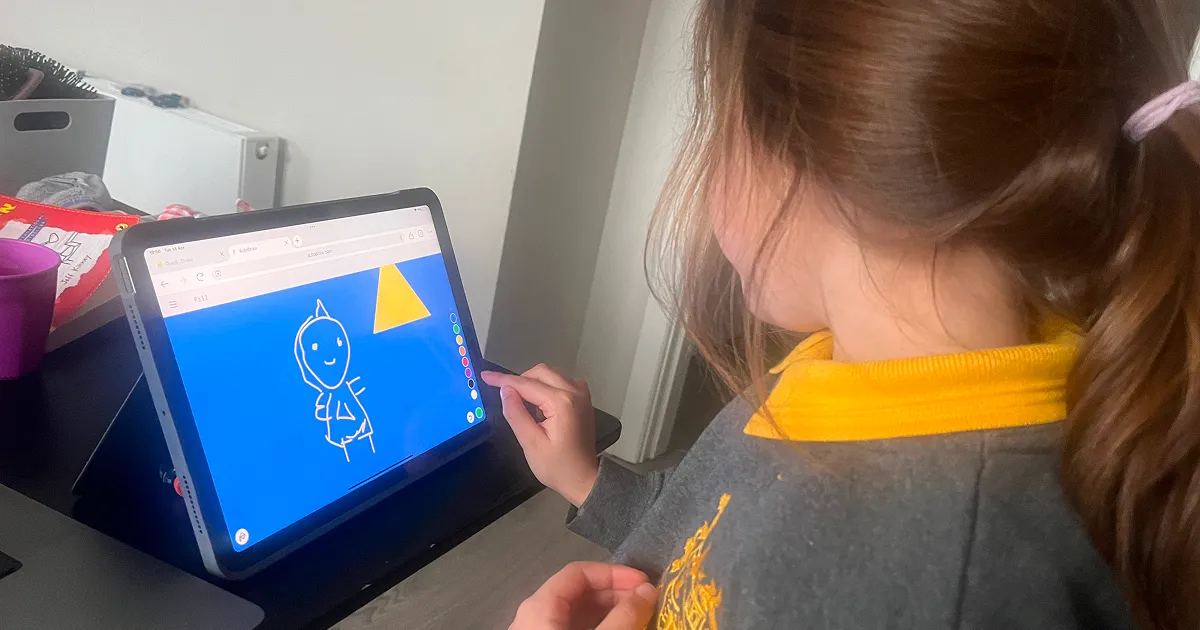
If your child is around 7 and you're wondering whether now is the right time to introduce AI, you're asking a good question. Age 7 sits in a sweet spot: kids are reading independently, asking bigger questions about how things work, and curious enough to engage meaningfully with something new. And the tools available now, built for this age group, are genuinely good.
This guide covers a simple explanation of AI you can actually say to a 7-year-old, the tools I've used with my own kids, what to avoid, and how to do the first introduction in a way that sticks.
Not sure which tool is right for your child?
Take our free 2-minute quiz and get personalized AI tool recommendations based on your child's age and interests.
How to explain AI to a 7-year-old (the actual words)
Most explanations of AI are either too technical ("it uses neural networks") or too vague ("it's like a really smart computer"). Neither lands with a 7-year-old.
Here's what actually works: "AI is a computer that has learned from millions of examples, so it can make guesses, draw pictures, or answer questions. It's really good at some things and makes mistakes at others."
That last part matters. Seven-year-olds understand mistakes. They make them constantly. Framing AI as something that guesses, sometimes correctly and sometimes not, immediately makes it approachable and honest. You're not building false authority around it.
If they want to go deeper, try: "Someone showed it millions of drawings of dogs. So when you draw something, it looks at yours and guesses which animal it looks most like. Like a guessing game where it's seen a lot of pictures."
That's it. You don't need more than that at age 7. The curiosity will pull them forward.
Why 7 is actually a great age to start with AI
There's a temptation to wait. To let kids be kids. I get it. But I think parents who wait until 10 or 11 are missing a window.
Here's why 5-8 is the right range:
- Curiosity is at its peak. Seven-year-olds are in constant "why does that work" mode. AI gives them something genuinely interesting to poke at.
- Stakes are low. They're not using AI for homework assignments yet. You can experiment freely without worrying about academic integrity or dependency.
- Habits form early. Kids who learn from the start that AI makes mistakes, needs checking, and is a tool rather than an authority will carry that into secondary school and beyond. Kids introduced to it at 13 via ChatGPT often develop very different habits.
- The available tools are purpose-built. There are genuinely excellent AI tools made for this age group. Quick Draw, Askie, WordLab. They're safe, free, and actually fun.
💡 Parent Insight: My 6-year-old understood "it guesses from examples" faster than I expected. The moment it guessed wrong she said "it got the wrong one, it's learning." That instinct, AI as something that can be wrong, is exactly right. She had it on day one.
What 7-year-olds can do with AI that makes sense
Stick to activities that are concrete, visual, and immediately interactive. At 7, abstract tasks ("write me a story about...") are less engaging than things they can see happening in real time.
Drawing games: AI that tries to guess what you're drawing is perfect for this age. It's visual, it gives immediate feedback, and it generates a natural question: why did it guess wrong? Quick, Draw! is the gold standard here.
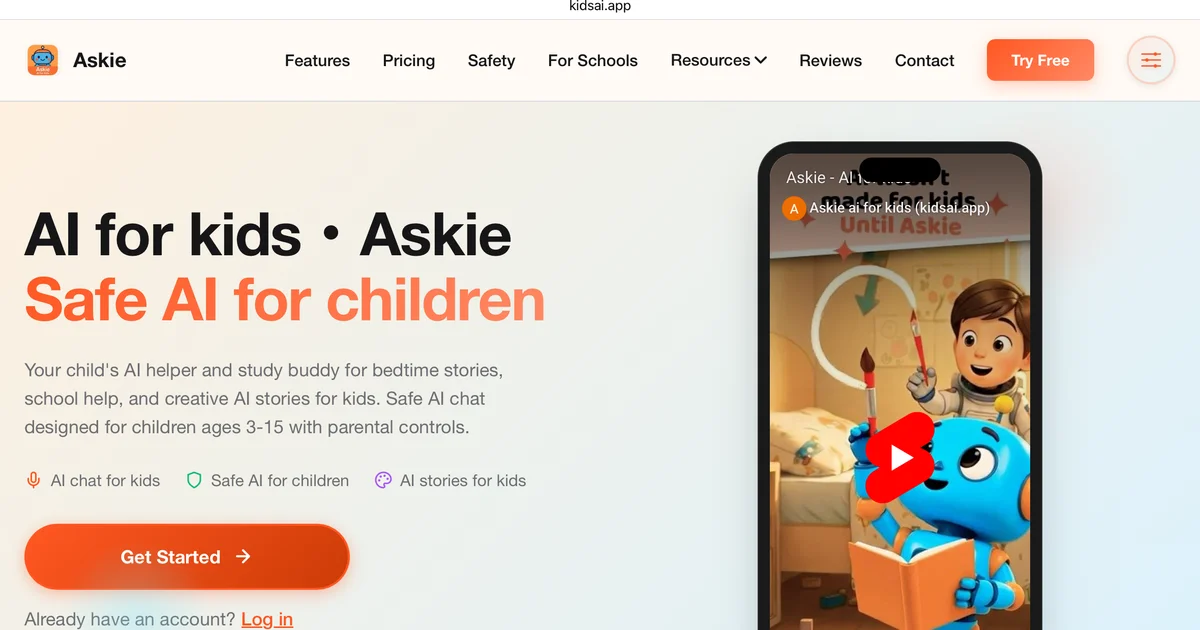
Voice questions: Kids this age love asking questions. An AI built for kids that answers in age-appropriate language and redirects anything inappropriate is ideal. Askie is built exactly for this. No typing required, safe for 3-15, and it handles off-topic questions sensibly.
Word games: Vocabulary activities powered by AI work well for this age because they feel like games, not learning. WordLab generates word puzzles on any topic, so you can do dinosaurs one day and Minecraft the next. Free, no account, no personal info required.
Creative stories with prompts: Supervised storytelling where a parent and child take turns with an AI tool is a natural fit at 7. Keep it short, keep it funny, and stay in the room.
Three tools I actually use with my 6-year-old
These aren't recommendations I've pulled from a list. I've used all three with my daughter, repeatedly, over the past several months.
Google Quick Draw
This is where I'd start with almost every 7-year-old. You draw something in 20 seconds, and the AI guesses what it is. That's it. No account, no download, free, works on any device.
The magic is that it guesses in real time as you draw. Kids can see the AI changing its mind. That immediate feedback loop, and the moments when it gets it hilariously wrong, generate more genuine questions about how AI works than any explanation you could give.
My daughter tried it for the first time and immediately asked "how does it know what I'm drawing?" That question is the whole point. I'd answered it for her in theory. Quick Draw made it real.
- Age range: 5 and up. No reading required.
- Cost: Free.
- Safety: No account, no data collection from children, nothing stored. As safe as it gets.
🔒 Safety Note: Quick Draw stores anonymised drawings to improve the AI. There's nothing personally identifiable in a drawing of a cat. But worth knowing it's not a completely closed system.
Askie
Askie is a voice AI built for kids aged 3-15. Your child speaks a question, Askie answers in age-appropriate language, and the vocabulary and complexity adjust based on the age you registered during setup. That age calibration is real. It genuinely talks differently to a 4-year-old than an 8-year-old.
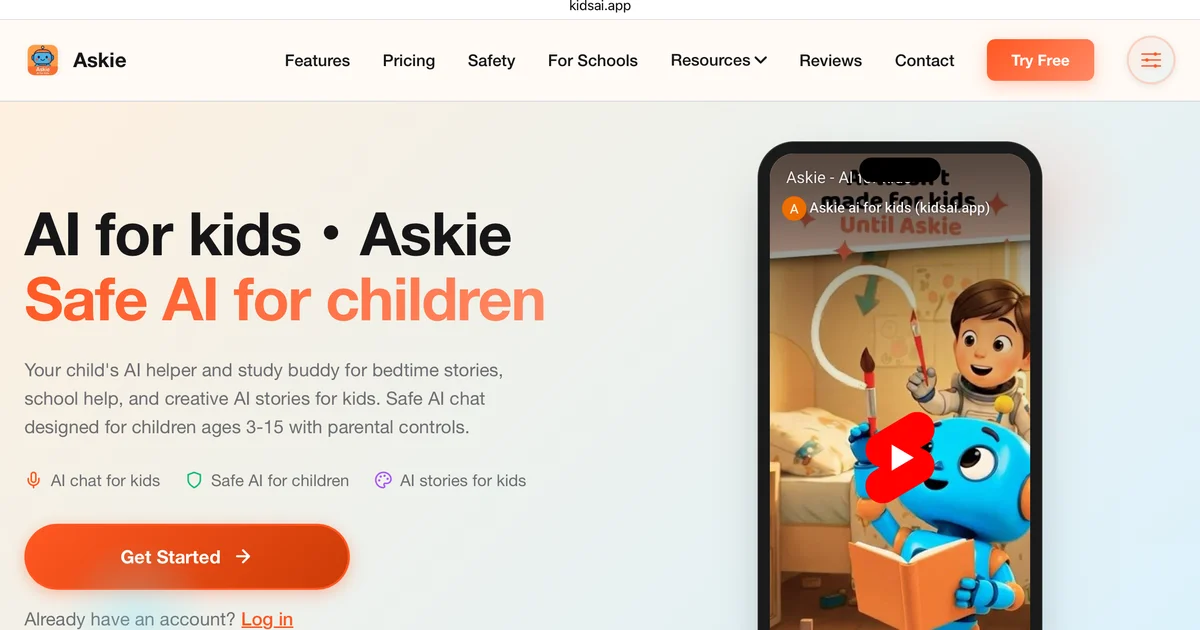
What I like about it: it's honest about being AI. It doesn't pretend to be a friend or a companion. It answers questions. That framing is healthier for this age group than tools that try to build emotional attachment.
What I didn't expect was how it handled a sensitive moment. After Mateo heard about an earthquake affecting family in Colombia, he used Askie to ask about tectonic plates. He didn't want to ask in front of his younger siblings because the question was connected to something that was worrying him. Askie answered it clearly and picked up on the emotional context — he came away understanding the science and feeling better about his family. That combination, accurate information with an emotionally aware response, wasn't something I'd predicted from a voice AI built for kids.
For the full breakdown of how all three of my kids got on with it, including the guessing game trick that works best for ages 5-8: our full Askie family guide.
- Age range: 3-15. Works well within it.
- Cost: Free trial available. Premium from $9.99/month.
- Safety: COPPA-compliant, parental dashboard, no personal data collected from children.
Exclusive reader offer: Use code NIALLAITOOLSFORKIDS at kidsai.app for a 2-week free Premium trial. Not available on the homepage, only through this link.
WordLab
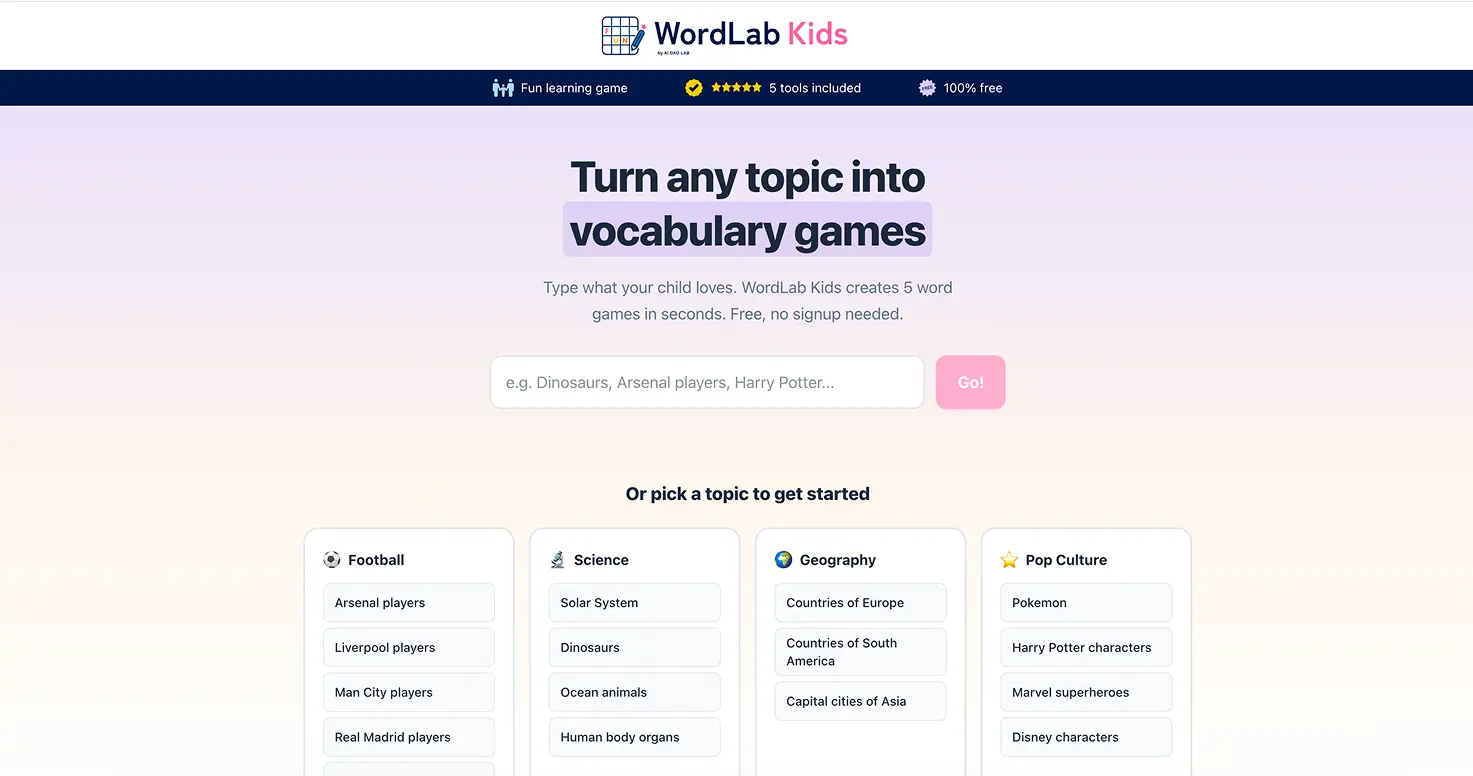
WordLab generates word games on any topic: crossword, word search, missing letters, unjumble. You type a topic, it builds a puzzle set. Free, no account, works in the browser. This is a free vocabulary game tool, not a business software product. If you search WordLab, make sure you end up at aitoolsforkids.com/wordlab.
For a 7-year-old, this is a vocabulary tool that doesn't feel like vocabulary work. My daughter picked "unicorns" as her first topic. She would not have voluntarily done a unicorn crossword out of a book. She played three rounds of the WordLab unicorn set.
The games get harder as you go through the set, which keeps engagement up. And because you can type any topic, it stays fresh across sessions.
- Age range: Reading-age kids, roughly 5-6 and up depending on the child.
- Cost: Free.
- Safety: No personal info required, no account, no chat.
One to grow into: Khanmigo
Worth mentioning as a next step once your child is 8 and settled into using AI tools comfortably. Khanmigo is Khan Academy's AI tutor. Instead of just giving answers, it asks questions back, guiding kids to work things out themselves. That Socratic method makes it genuinely educational rather than passive.
It's aimed at school subjects and works best from around age 8 upward, so it's a step up from the starting tools here. Worth knowing about as a natural progression once your child is ready.
What to avoid at age 7
This is important. Most AI tools are not designed for 7-year-olds, even if nothing stops a 7-year-old from using them.
Open-ended chat AIs (ChatGPT, Claude, Gemini, Copilot): These are built for adults. They're extraordinarily capable and extraordinarily unpredictable. A 7-year-old can type anything, and the AI will respond to anything. Even with safe filters enabled, the content is too open-ended for unsupervised use at this age. If your 7-year-old wants to use ChatGPT, the answer is "with me, together, for a specific thing." Not solo. (See our guide on how old kids need to be for Claude AI for more on this.)
Anything requiring personal information: No real name, no school name, no age input, no photo upload that requires an account. At 7, personal information management is a parent's job, not the child's.
AI companions or chat friends (this is the most important one): Tools designed to be "AI friends" for children are a growing concern in 2026, and child psychologists have flagged emotional dependency as a real risk. When children form attachments to an AI companion, it blurs the line between what is a relationship and what is a tool. A 7-year-old does not have the cognitive development to hold that distinction clearly. The apps are designed specifically to encourage repeated use and emotional closeness. That is the opposite of what you want at this age. Look for tools that are honest about being computers, not tools that try to act like a sibling or best friend.
AI tools that confidently state wrong facts: This one surprises parents. AI tools can give incorrect information with the same confident tone as correct information. A 7-year-old has no reliable way to tell the difference. Until they can, the rule is simple: if AI tells you a fact, check it somewhere else before believing it. This is not a reason to avoid AI. It is probably the most useful lesson you can teach alongside it.
Unsupervised sessions: At 7, every AI interaction should have a parent nearby. Not hovering. Not reading over their shoulder. But in the room, available, and checking in. The tools I've listed are low-risk, but that doesn't mean hands-off.
Quick reference: green flags and red flags
| Green flags (safe to try) | Red flags (wait or supervise closely) |
|---|---|
| No account required | Requires child's email or social login |
| Voice-activated or one-word input | Requires long-form typing |
| Clear "I am a computer" personality | Tries to act like a best friend or sibling |
| Pre-defined activities like games or puzzles | Open-ended chat with no specific goal |
| No personal information collected | Asks for name, age, school, or location |
| Parent can review or demo it first | Requires child account creation to use |
How to introduce AI for the first time: the magic trick framing
The best first AI experience for a 7-year-old isn't educational. It's surprising.
Start with something that creates a reaction: confusion, delight, or mild annoyance when the AI gets it wrong. Quick Draw is ideal for this. Let them draw something obvious. Watch the AI guess in real time. If it guesses right, great. If it guesses wrong, even better.
Then ask: "Why do you think it guessed that?"
Don't answer immediately. Let them think. Seven-year-olds are surprisingly good at reasoning through cause and effect when they've just seen something unexpected. They might say "maybe it hasn't seen many of my drawings before" or "maybe it thought the lines looked like something else." Both answers are basically correct.
That question, and that thinking, is worth more than any explanation you could give them upfront. You're showing them AI as a thing to reason about, not a thing to accept.
After that first session, the follow-up conversations come naturally. "What else can AI do?" "Can it ever learn from what I draw?" "Who taught it?" Those are good questions. Let them lead.
Safety basics at age 7
For a full breakdown of AI safety by age, see our complete parent safety guide.
Nothing in this section is complicated, but it's worth stating plainly.
Always supervised at 7. This isn't about the specific tools. It's about the habit. Kids who grow up using screens and apps with a parent nearby develop very different instincts than kids who develop habits alone.
No personal information. Name, school, age, location, photo. None of it goes into any AI tool unless you've reviewed the tool's privacy policy and are comfortable with it. The tools I've listed above require none of it. Keep it that way.
Treat AI like a new toy. Before you hand your child a new toy, you check it. You read the age recommendation. You make sure it doesn't have small parts or sharp edges. Do the same with AI tools. Spend 10 minutes with it yourself before handing it over. That's not paranoia, it's sensible parenting in any context.
Talk about mistakes. Every AI tool will get something wrong. When it does, that's not a failure. That's a teaching moment. "Why do you think it got that wrong?" normalises the idea that AI is fallible. That's a healthy instinct to build early.
💡 Parent Insight: The best safety conversation I had with my daughter happened because Quick Draw guessed "snake" for a drawing that was clearly a flower. She was genuinely annoyed. I asked why she thought it got confused. She worked out that snakes are also long and thin. She'd just done a lesson in computer vision without knowing it.
What worked and what didn't in our testing
What worked
Starting with games, not "learning tools." Quick Draw isn't positioned as educational. It's a guessing game. That framing made my daughter more willing to try it and less precious about getting things wrong. When tools present themselves as educational, kids at this age often resist them.
Letting the wrong answers do the work. Every time an AI made a mistake in our sessions, it generated more conversation than when it got things right. I stopped trying to set up perfect demonstrations and started picking tools that have entertaining failure modes.
Short sessions. Fifteen minutes of genuine engagement beats forty-five minutes where the last thirty are autopilot. We do short bursts and come back. That keeps curiosity intact.
What didn't work
Trying to explain AI before showing it. I made this mistake early. I sat down to explain how machine learning works, with an analogy about flashcards, and my daughter's eyes glazed over in about forty seconds. Show first. Explain when asked.
Tools with typing barriers. At 6-7, typing is slow and frustrating. Tools that require meaningful text input lose kids quickly. Quick Draw needs no typing. Askie is voice. WordLab needs one topic word. That's the ceiling for this age.
Anything that required account creation. Every time I introduced a setup step, engagement dropped. Tools that work immediately, with no friction, are dramatically better for this age group.
The bottom line
Seven is a good age to start with AI. Not because it's ever too early, but because the tools available now are genuinely well-matched to what a 7-year-old can engage with. Google Quick Draw, Askie, and WordLab are all free, safe, and produce the kind of reactions that generate real questions.
Start with one. Start with Quick Draw if you're not sure. Let something go wrong, then ask why they think it happened. That conversation is the whole introduction.
📬 Every Friday: AI tools tested with real kids, honest results. I test new tools with Mateo (8), Maria (6), and Conor (3) each week and share what actually happened, including what didn't work and why. No sponsored reviews. Free AI games for kids is a good place to start if you want more options like the ones above. Sign up below to get the weekly list.