AI Tools for Children's Education: What Parents Actually Need to Know

ON THIS PAGE
Subscribe To Get Weekly Family AI Discoveries

- 92% of parents believe AI knowledge is essential—but two-thirds don't know which tools are safe. I tested 12 tools for 3 months. Here's what worked.
- The biggest win wasn't homework help—it was a 2-minute personalized storybook that prepared my 3-year-old for playschool. First day: no tears.
- I tested each tool in real situations: school anxiety, treasure hunts, creative projects. Not hypothetical scenarios—actual outcomes with times and costs.
- Free doesn't always mean unlimited. After testing dozens of tools, I learned which ones hit paywalls mid-project and which are genuinely generous.
- Supervision means being present—sitting next to your kids during sessions, not just setting rules and hoping they follow them.
92% of parents believe AI knowledge is essential for their children's education and future careers. Two-thirds of U.S. students are already using AI tools for schoolwork multiple times a week.
Those statistics became real for me three weeks ago when my 3-year-old got nervous about starting playschool.
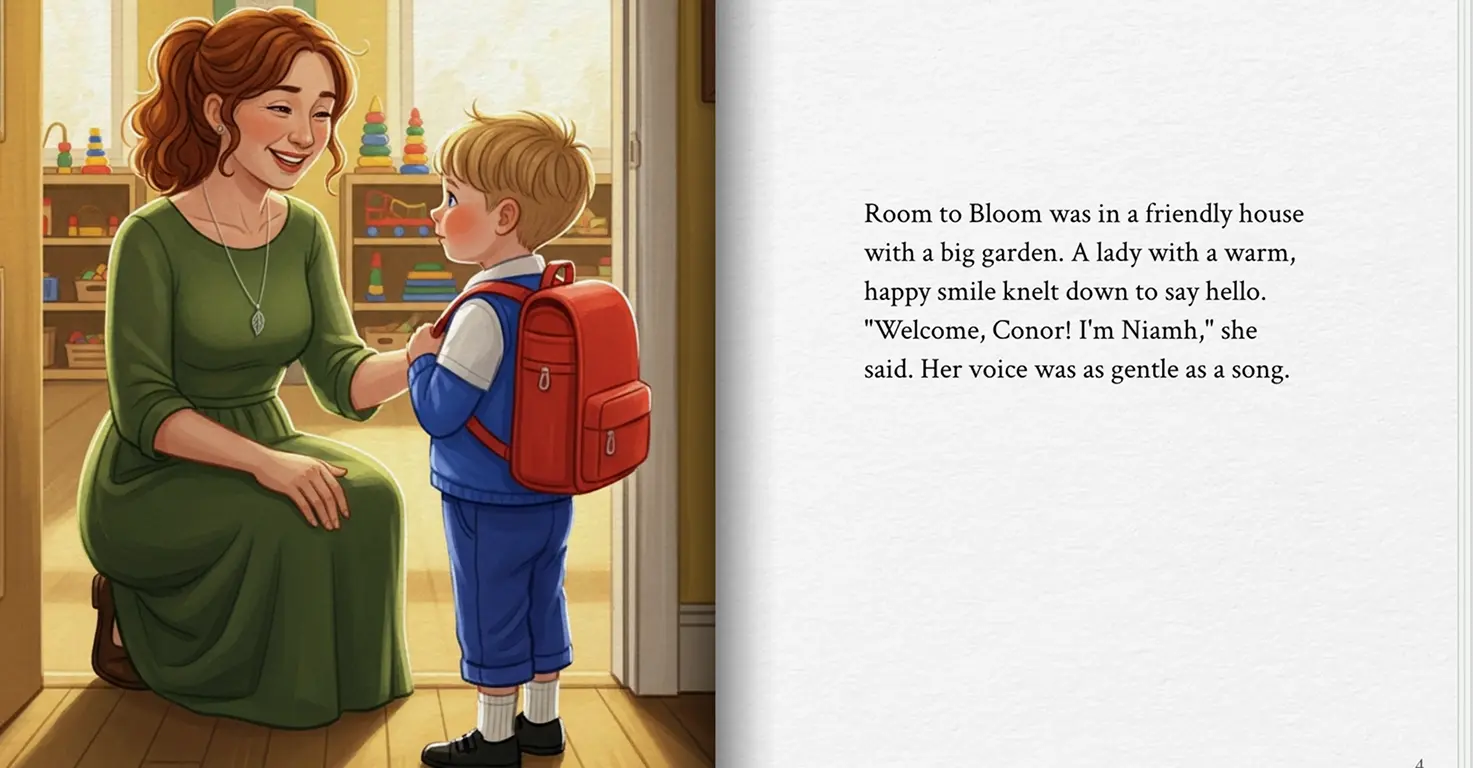
I could have talked him through it. Bought a picture book about starting school. Instead, I used Gemini to create a personalized storybook starring him, his actual teacher Niamh, and two real classmates from his new class. The story featured the school's garden and treehouse—places he'd see on day one.
Generation time: 2 minutes.
He read it three nights in a row before his first day. When school started? No tears.
That's when I realized: AI isn't just for homework help. It's for emotional learning, creative confidence, and skills I hadn't considered.
Over three months, I tested 12 AI tools with my three kids (Mateo, 8; Maria, 5; Conor, 3) in real situations—not hypothetical scenarios. School anxiety. Creative projects. Family memories. Here's exactly what happened, what it cost, and what actually worked.
Not sure which tool is right for your child?
Take our free 2-minute quiz and get personalized AI tool recommendations based on your child's age and interests.
Why I Started Testing (And What I Was Looking For)
Two-thirds of U.S. students use AI tools multiple times a week—and I see this with Mateo's classmates. They talk about ChatGPT like we talked about Google. This isn't coming—it's here.
But which tools actually work? Which ones hit you with "You've reached your daily limit. Upgrade for $20/month" halfway through a project? Which ones are appropriate for a 3-year-old vs. an 8-year-old?
I couldn't find honest answers. So I tested them myself.
My Testing Approach
- Each tool tested in real situations (not manufactured scenarios)
- All three kids involved when age-appropriate
- I stayed within earshot for every session
- Documented what worked, what failed, actual costs paid
- No tool gets recommended here without honest challenges listed
This isn't a comprehensive review of every AI education tool. It's what happened when I tested 12 specific tools with my specific kids in specific situations over three months.
What Actually Worked: Emotional Learning
Why Personalized Learning Matters
Personalized learning that adapts to each child is one of AI's biggest educational benefits. AI tutors available 24/7 can provide explanations in ways that click for individual kids.
What I Actually Tested
When Conor (3) got anxious about playschool, traditional prep wasn't working. Picture books featured generic children. Talking about it made him more nervous.
So I tested Gemini's storybook feature for emotional preparation—not academic learning.
The Setup:
- Tool: Gemini (free with Google account)
- Time: 2 minutes to generate the full illustrated story
- Personalization: Real teacher name (Niamh), real classmate names, actual school features (garden, treehouse with slide)
- Age requirement: 13+ (I used my account, sat with him)
The Result:
He read it three nights running. The story made the unfamiliar familiar. He could visualize himself in the actual spaces with actual people. First day of school: no tears, no clinging, walked straight to the garden.
That's personalized learning. But for emotional readiness, not just academics.
We documented the complete process in our Gemini Storybook first-day school anxiety project.
Cost Reality Check:
- Gemini: Free (unlimited text-based stories)
- Alternative: Generic picture books about starting school (£7.99 each, characters he doesn't know)
- Time saved: No shopping, instant customization to his specific situation
What Didn't Work:
The AI initially generated a story about a generic school. I had to be specific in my prompt: "Include a garden with a treehouse that has a red slide. The teacher's name is Niamh. Two classmates are named Jamie and Lily." Specificity matters.
What Actually Worked: Creative Confidence
Why Creative AI Tools Matter
AI tools enable creative projects that were previously inaccessible without professional design skills or expensive software. Kids can now create multimedia presentations that build genuine pride in their work.
What I Actually Tested: The Tenerife Treasure Hunt
Three hours before leaving for Tenerife, my kids had no idea we were going on holiday. I wanted a memorable reveal. Not just "hey, we're going on holiday."
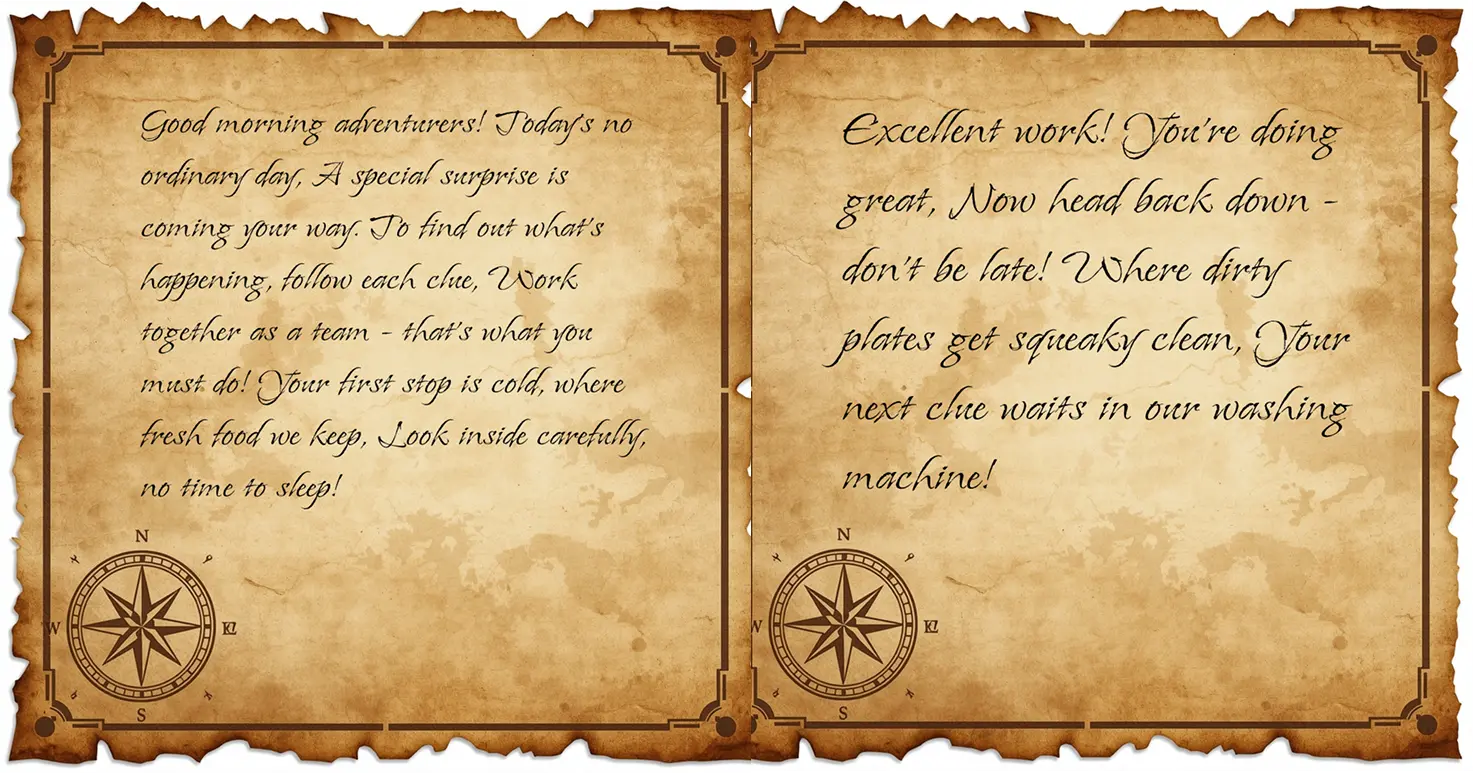
So I created a treasure hunt using AI to generate the visual elements and clues.
The Setup:
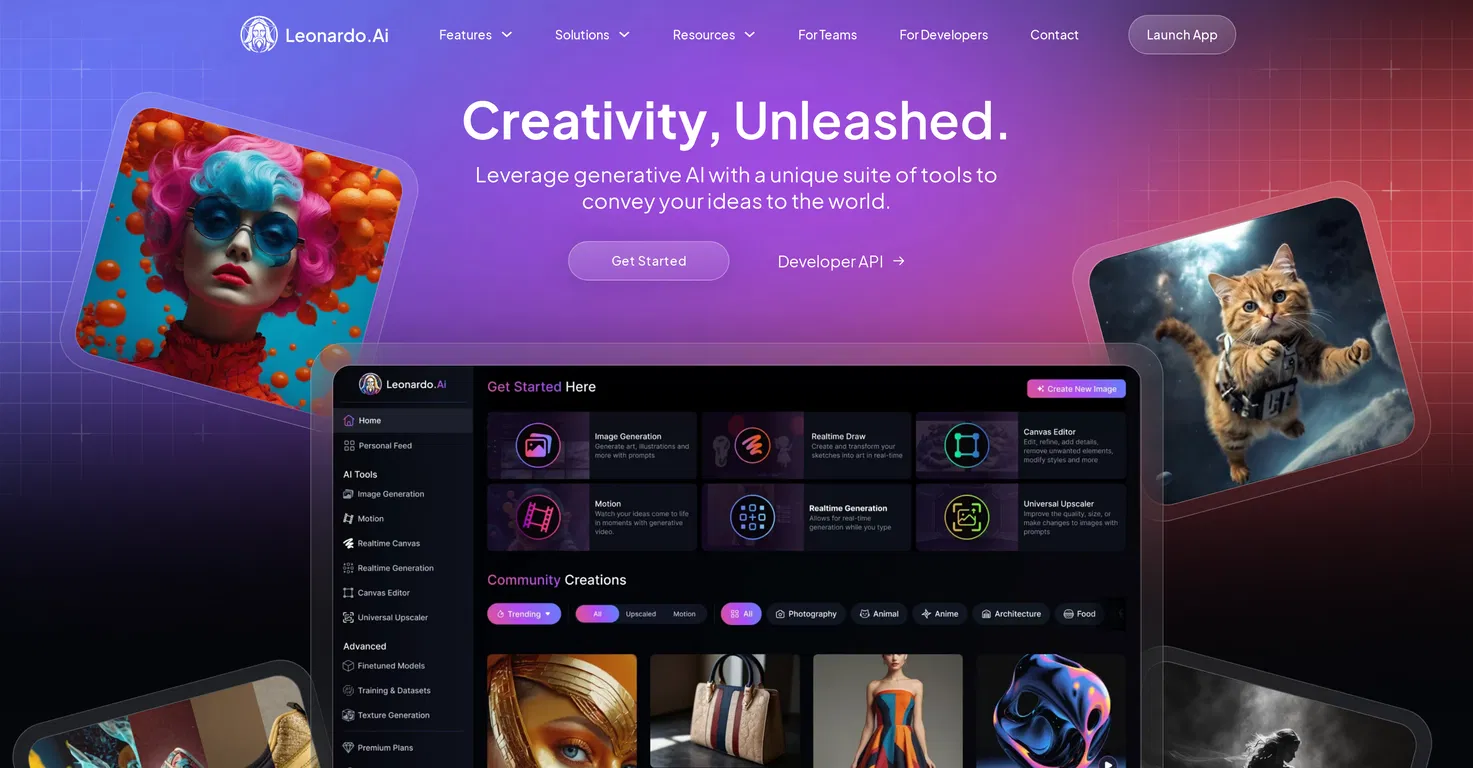
- Tool 1: Leonardo AI (treasure map background)
- Cost: 142 of my free 150 daily tokens
- Time: 20 seconds to generate
- Tool 2: ChatGPT (7 rhyming clues leading to locations around our house and neighborhood)
- Time: 2 minutes to get all clues
- Total creation time: 30 minutes (including printing and hiding clues)
- Hunt duration: 15 minutes
The Result:
Mateo (8) found the final clue—an empty suitcase in our side passage with a handwritten note: "Pack your bags. We're going to TENERIFE! Grandad is picking us up in 2 hours!"
Moment of silence. Then jumping, hugging, celebrating. Maria (5) immediately ran to grab a flight map to see where Tenerife was. Conor (3) went along with the excitement, not fully understanding until they ran upstairs to pack.
Would I have created this without AI? No. The treasure map looked professional. The rhyming clues were better than anything I'd have brainstormed. Would I have paid for custom design? No. Did it create a moment they'll remember? Absolutely.
See the full step-by-step process in our family treasure hunt reveal project.
Skills They Actually Practiced:
- Reading comprehension (decoding clues)
- Problem-solving (figuring out locations)
- Geography (Maria studying the flight path)
- Teamwork (helping each other find clues)
What Didn't Work:
My first Leonardo AI prompt generated a generic pirate map. I had to refine it: "Aged parchment treasure map, coffee stains, X marks the spot, hand-drawn style." The AI needs direction. You can read more about using Leonardo AI with kids in our full guide.
What I Actually Tested: Custom Coloring Pages
Maria (5) wanted coloring pages of characters from her imagination—not TV shows, her own inventions.
The Setup:
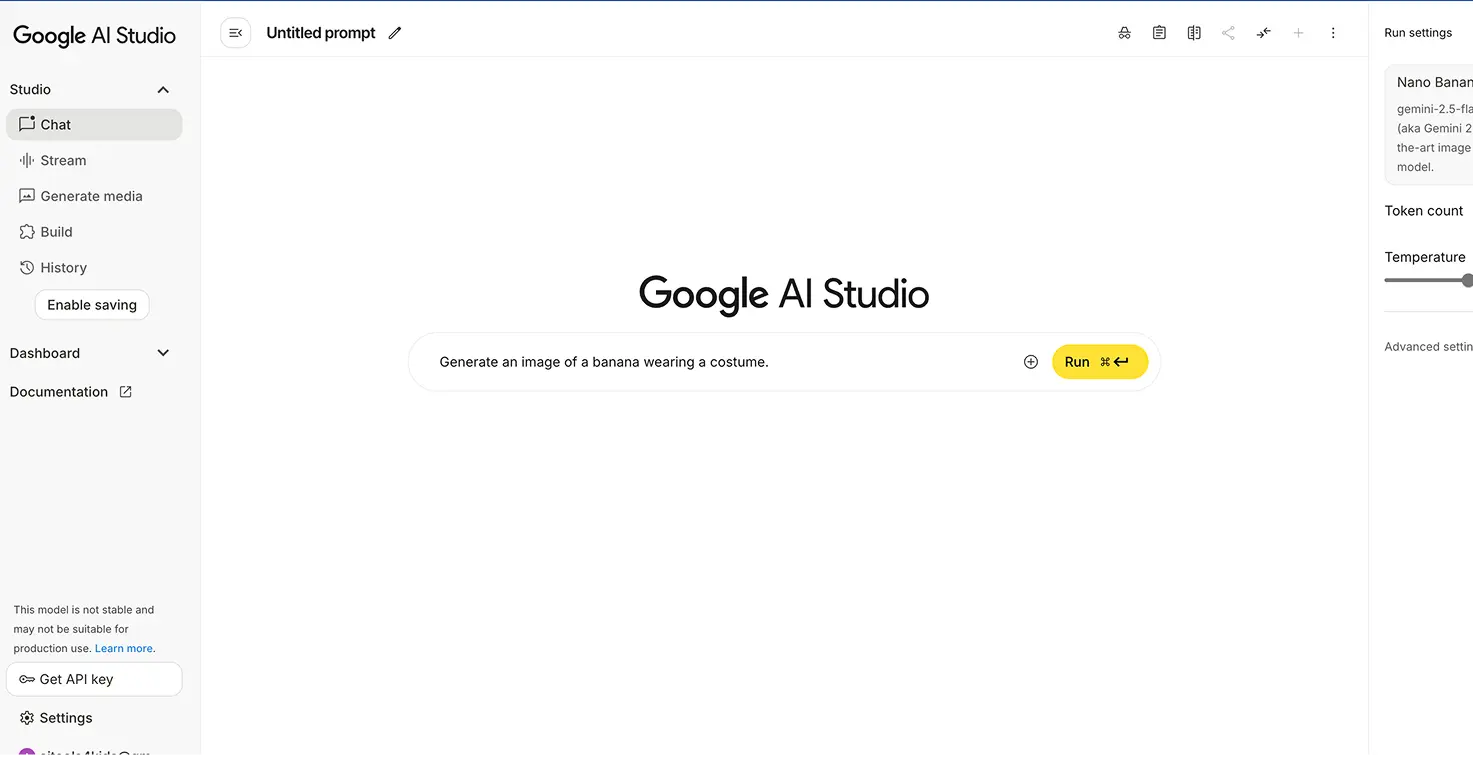
- Tool: Nano Banana (Google's AI image generator)
- Her idea: "A princess with a rainbow dress riding a flying unicorn over a castle made of clouds"
- Time: Under 2 minutes from description to printable page
- Cost: Free
The Result:
She got exactly what she described. Then spent 45 minutes coloring it. Then asked for three more variations.
Check out our custom AI coloring pages project for the complete tutorial.
Skills She Practiced:
- Descriptive language (explaining her vision clearly)
- Visual thinking (imagining before creating)
- Patience (waiting for generation, focusing during coloring)
- Artistic confidence ("I created this from my imagination!")
Cost Reality vs Alternatives:
- Nano Banana: Free, unlimited
- Custom illustration commission: £50+ per image
- Generic coloring books: £4.99, but not her ideas
What Actually Worked: Skill Building Through Creation
Enabling Skills, Not Replacing Them
When AI handles repetitive tasks efficiently, it frees up time for deeper learning and creative thinking. The key is using AI to enable skills, not replace them.
What I Actually Tested: 3D Characters From Drawings
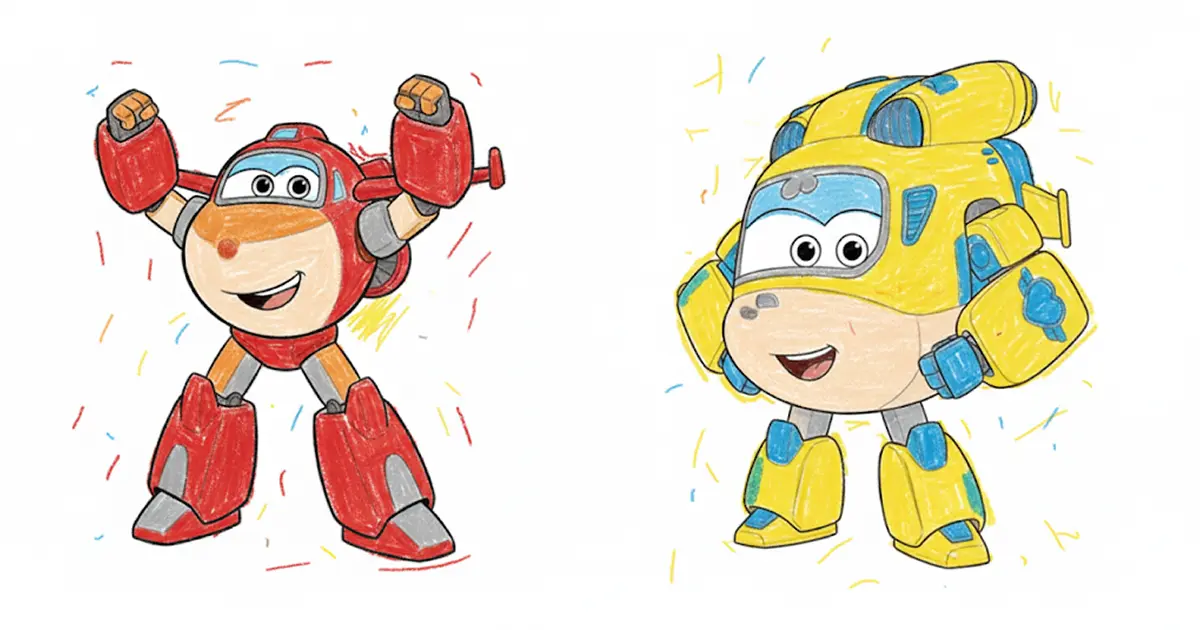
Mateo (8) drew a "skunk-man in a suit" (his words). Completely original character. Wobbly lines, quirky proportions.
I used AI to transform his 2D drawing into a 3D talking character.
The Result:
His reaction: "I made that?!" The AI elevated his drawing without replacing his creativity. He still drew it. The AI just brought it to life in a way that built his artistic confidence.
Skills He Gained:
- Understanding that AI is a tool (like a pencil or paintbrush)
- Seeing how 2D translates to 3D
- Confidence to draw more "weird" characters because he knows they can become something impressive
This wasn't about AI doing the work for him. It was about AI enabling a creative vision he couldn't execute alone.
The Concerns I Actually Saw Firsthand
Misinformation: The Penguin Problem
AI tools make confident, convincing mistakes. Kids may not realize they need to verify AI-generated information.
What Actually Happened:
Maria (5) created a Gemini storybook about penguins exploring Antarctica. The AI included a "fact" that penguins hibernate during winter. Plausible. Confident. Completely wrong.
We caught it because we fact-check everything together. But here's what concerned me: she believed it immediately. The AI said it with the same confidence it says correct information.
Our Rule Now:
AI-generated information gets the same treatment as Wikipedia: interesting starting point, always verify with a second source. We turned it into a game: "Let's fact-check this penguin story together."
What This Taught:
This wasn't a failure—it was a teaching opportunity about information literacy that wouldn't have happened without seeing the mistake together. She now questions information more carefully, even from books.
The Paywall Problem: What "Free" Actually Means
After testing dozens of tools, I learned that "free" has three meanings:
- Genuinely free, unlimited: Quick Draw, Teachable Machine, Bing Image Creator (slower generation after 15 fast credits, but no hard cap)
- Generous free tier: ChatGPT (15 voice minutes daily, 2-3 images), Playground AI (50 images daily), Gemini (unlimited text)
- Freemium trap: 3 free tries, then constant upgrade prompts mid-project
The worst feeling: your child halfway through a project, eyes lit up, then "You've reached your daily limit. Upgrade for $20/month."
Tools That Didn't Hit Paywalls:
- Gemini: Unlimited storybooks (what we used for Conor's school prep)
- Leonardo AI: 150 free tokens daily (enough for our treasure hunt + more)
- Nano Banana: Unlimited image generation (Maria's coloring pages)
Tools With Tight Limits:
- ChatGPT images: 2-3 per day burns fast when kids want variations
- Some tools I won't name that gave us 3 tries then constant upgrade prompts
Over-Reliance: A Concern I'm Watching
When AI handles cognitive tasks, students may not develop underlying skills. It's the calculator debate for writing and critical thinking.
What I'm Observing:
I don't have a definitive answer here yet because we've only tested for three months. But here's what I'm watching:
Mateo (8) sometimes reaches for ChatGPT for questions he could reason through himself. Not homework (we have rules about that), but general questions.
Our Current Approach:
AI is available, but I ask: "What do you think first?" before we use it. The AI becomes a way to verify his thinking, not replace it.
This is still evolving. I'll report back after more testing.
The Rules We Actually Created (Not Hypothetical)
We have explicit rules written on a sticky note next to the computer. Not theoretical guidelines—actual rules developed through three months of testing.
AI Can Help You:
- Explain concepts you don't understand (Mateo used ChatGPT to explain long division when my explanation wasn't clicking)
- Brainstorm creative ideas (Maria describing characters for coloring pages)
- Bring your creations to life (Mateo's skunk-man drawing → 3D character)
- Prepare for new experiences (Conor's playschool story)
AI Cannot:
- Do your homework for you (but can explain how to solve problems)
- Replace your own thinking ("What do you think first?")
- Be trusted without fact-checking (the penguin lesson)
- Be used alone in your bedroom (kitchen table only, where I can see)
How These Rules Evolved:
We didn't start with rules. We started with testing. The penguin mistake taught us fact-checking. Mateo's homework question taught us "think first, verify with AI." The rules came from real situations, not preemptive restrictions.
What Actually Costs Money (And What Doesn't)
After three months of testing, here's the honest cost breakdown:
What We've Paid: £0
Every tool mentioned in this post has a free tier generous enough for real family projects:
- Gemini: Free, unlimited text-based stories
- Leonardo AI: 150 free tokens daily (we've never needed more)
- ChatGPT: Free tier includes GPT-4o access, enough for our uses
- Nano Banana: Free, unlimited
- Bing Image Creator: Free, unlimited (just slower after 15 fast credits)
What We're Considering Paying For:
Nothing yet. The free tiers have been sufficient for three months of regular testing.
What Would Make Me Pay:
If we hit actual limitations that frustrated the kids mid-project. So far, that hasn't happened with the tools we use regularly.
Alternative Costs We Avoided:
- Custom treasure hunt design: £50-100
- Professional children's book illustration: £200+
- Generic anxiety-prep books: £7.99 each
- Custom coloring book: £15-30
The Supervision Reality: What It Actually Looks Like
Parent involvement makes all the difference in whether AI use is beneficial or harmful. But what does that actually mean in practice?
My kids don't use AI tools in their bedrooms with the door closed. They use them at the kitchen table where I can see the screen and hear their questions.
This isn't about distrust. It's about being present for the teaching moments:
- When the penguin fact was wrong
- When Maria needed help refining her character description
- When Mateo wanted to iterate on his treasure hunt clues
- When Conor needed reassurance that his playschool story was about a real place
Those moments don't happen if I'm in another room.
Time Investment:
This takes time. The Gemini storybook was 2 minutes to generate, but 15 minutes total because we fact-checked the penguin information together. The treasure hunt was 30 minutes because I helped refine prompts.
But that's not a bug—it's the feature. The time together is where the learning happens.
What Other Parents in My Circle Are Doing
Two-thirds of U.S. students use AI tools—and I see this with Mateo's classmates. They talk about ChatGPT like we talked about Google. The question isn't whether our kids will use AI. They already are. The question is whether we're involved in how they use it.
I've seen three different approaches among parents I know:
My friend Sarah banned ChatGPT completely after her son submitted an AI-written book report. He hadn't read the book. Failed the in-class discussion. I understand her reaction—but complete prohibition doesn't prepare kids for a world where AI is standard.
Another parent I know lets her daughter use AI unsupervised. No guidelines, no questions asked. Her daughter spent 90 minutes asking Character AI about crushes. That concerns me. All the teaching moments (like the penguin fact) happen when you're present.
I'm trying a third path: supervised exploration. We test tools together at the kitchen table. When failures happen (and they do), we learn from them together.
Three months in, this approach has created teaching moments I couldn't have manufactured. The penguin mistake taught information literacy. The treasure hunt taught prompt refinement. The playschool story taught that AI can support emotional development, not just academics.
I'm not saying my approach is the only right one. But engaged exploration has worked for us.
The 5 Tools We Actually Use (After Testing 12)
Here's what's left standing after three months of real family testing:
Gemini Storybook
What We Use It For: Storybooks, emotional prep
Cost: Free
Age Range: 3+
Supervision: Kitchen table
Leonardo AI
What We Use It For: Creative projects, treasure maps
Cost: Free (150 tokens/day)
Age Range: 5+
Supervision: Kitchen table
ChatGPT
What We Use It For: Explaining concepts, brainstorming
Cost: Free
Age Range: 8+
Supervision: Kitchen table
Nano Banana
What We Use It For: Custom coloring pages
Cost: Free unlimited
Age Range: 5+
Supervision: Kitchen table
Bing Image Creator
What We Use It For: Project visuals
Cost: Free (slower after 15)
Age Range: 5+
Supervision: Kitchen table
Tools We Stopped Using:
- Several that hit paywalls after 3 tries (won't name them, but watch for this pattern)
- One that generated consistently inappropriate suggestions despite "kid-friendly" marketing
- Tools where setup time exceeded usefulness for our kids' ages
What I'm Still Figuring Out
I don't have all the answers. Three months isn't long enough to know everything. Here's what I'm still testing:
How much AI use is too much? We don't have a hard time limit yet. Some days it's 5 minutes (quick storybook). Some days it's 45 minutes (treasure hunt creation). I'm watching for signs of over-reliance.
Age-appropriate boundaries: What works for Mateo (8) doesn't work for Conor (3). I'm still figuring out where those lines are for each kid as they grow.
Academic vs creative use: Creative projects (treasure hunts, storybooks, coloring pages) feel clearly beneficial. Academic use is murkier. I'm being more cautious there.
Long-term skill development: Will using AI for creative projects now help or hurt their skills five years from now? I genuinely don't know yet. I'll report back.
The Bottom Line After Three Months of Testing
AI tools in children's education aren't going away. Two-thirds of students are already using them, and that number will only grow.
But statistics can't tell you which tools actually work for your specific kids in your specific situations. That requires testing.
Here's what three months taught me:
The biggest win wasn't academic. It was a 2-minute storybook that prepared my 3-year-old emotionally for playschool. First day: no tears. That's AI for emotional learning, not just homework help.
Free actually means three different things. After testing dozens of tools, I can tell you which ones will hit you with paywalls mid-project and which won't. That matters when your child is excited about creating something.
The teaching moments happen during failures. The penguin fact that was wrong taught Maria more about information literacy than any correct answer would have.
Supervision means being present, not just setting rules. The valuable moments happen when I'm sitting next to them, seeing the mistakes together, refining prompts together, fact-checking together.
I still don't have all the answers. Three months isn't enough to know the long-term effects. But it's enough to know that engaged, supervised exploration creates opportunities that complete prohibition or complete freedom both miss.
92% of parents believe AI knowledge is essential for their children's future. I agree. But that doesn't mean knowing how to use every tool. It means understanding how to use these tools thoughtfully, critically, and creatively.
That's what I'm testing. That's what I'm learning. And that's what I'll keep reporting as I figure it out alongside my kids.