AI Activities for Kids: 8 We've Actually Done (2026)

ON THIS PAGE
Subscribe To Get Weekly Family AI Discoveries

- Every activity here was made at home with real kids, not theorised
- They range from a 15-minute laugh to a weekend project, and most are free
- The best reactions come from activities built around what your kid already loves
- Do them together on a shared device, with real photos but never full names
- Start with one idea this afternoon rather than a list of fifty
If you have searched for AI activities for kids, you have probably hit the same recycled lists I did: vague ideas written by people who have never sat with a child while the video renders.
I am a dad of three (Mateo is 8, Maria is 6, Conor is 4), and over the past year we have made all of these at our kitchen table. Some got watched on loop. One made my mum cry. This is the honest shortlist, with the age each one suits, how long it took, and the tool we used.
Pick one and give it 20 minutes. That is genuinely all most of these take to start.
Not sure which tool is right for your child?
Take our free 2-minute quiz and get personalized AI tool recommendations based on your child's age and interests.
Why this isn’t another recycled AI activities list
If you have searched for AI activities for kids, you have probably found the same lists I did: ideas written by people who have never sat next to a child waiting for a video to render.
I am a dad of three (Mateo is 8, Maria is 6, Conor is 4), and these are eight activities we have actually made at home over the past year. Not theories, real afternoons, with the bits that went wrong left in. Each one has the rough age it suits, how long it took us, and the tool we used. Pick one and give it a go this weekend.
The 8 AI activities for kids we keep coming back to
1. Turn your kid’s two obsessions into a cartoon
Maria is 6 and devoted to two things: squirrels and Lidl donuts. So one weekend we made a cartoon where a squirrel robs the Lidl bakery and a Garda slips on a banana peel. She drew the storyboard on paper first, then we turned each scene into video. The planning was half the fun, and she has watched it more times than I can count.
- Best for: 5-8
- Time: About 30 minutes
- Link: our step-by-step squirrel cartoon guide
2. Put your child inside their daydream
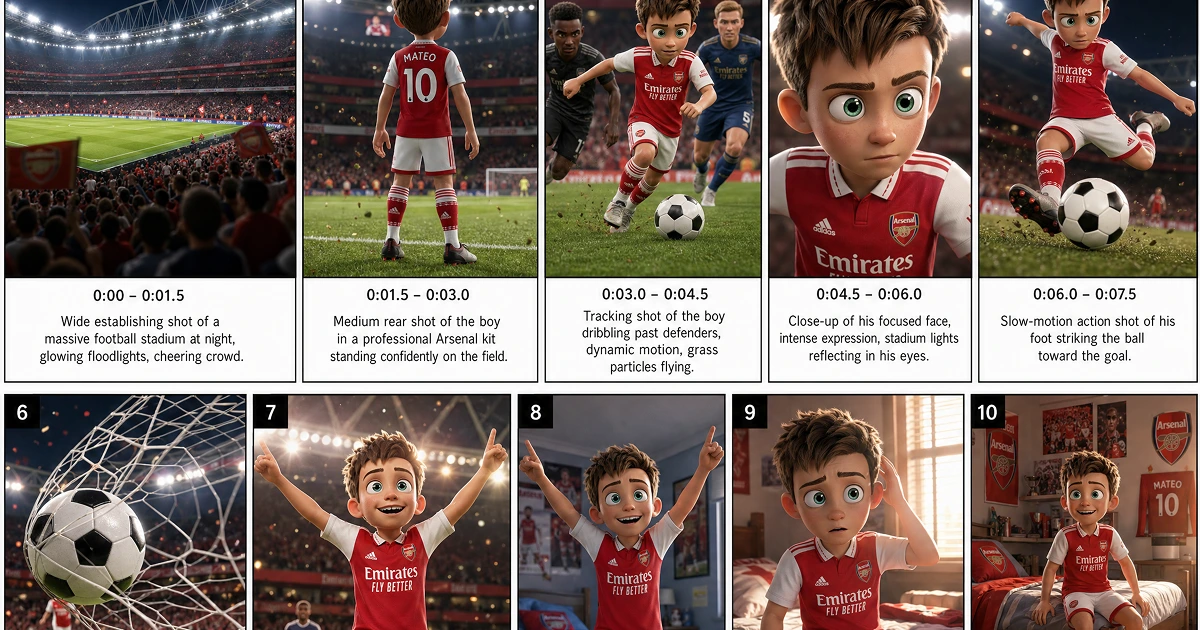
Every kid replays the same daydream. For Mateo (8) it is scoring the winning goal, full commentary and all. We turned it into a 15-second animated film using ChatGPT Images 2.0 and Seedance. He watched it on loop, then asked for the sequel.
- Best for: 7+
- Time: About 15 minutes
- Link: the full daydream animation guide
3. Take a selfie with a footballer who has never met you
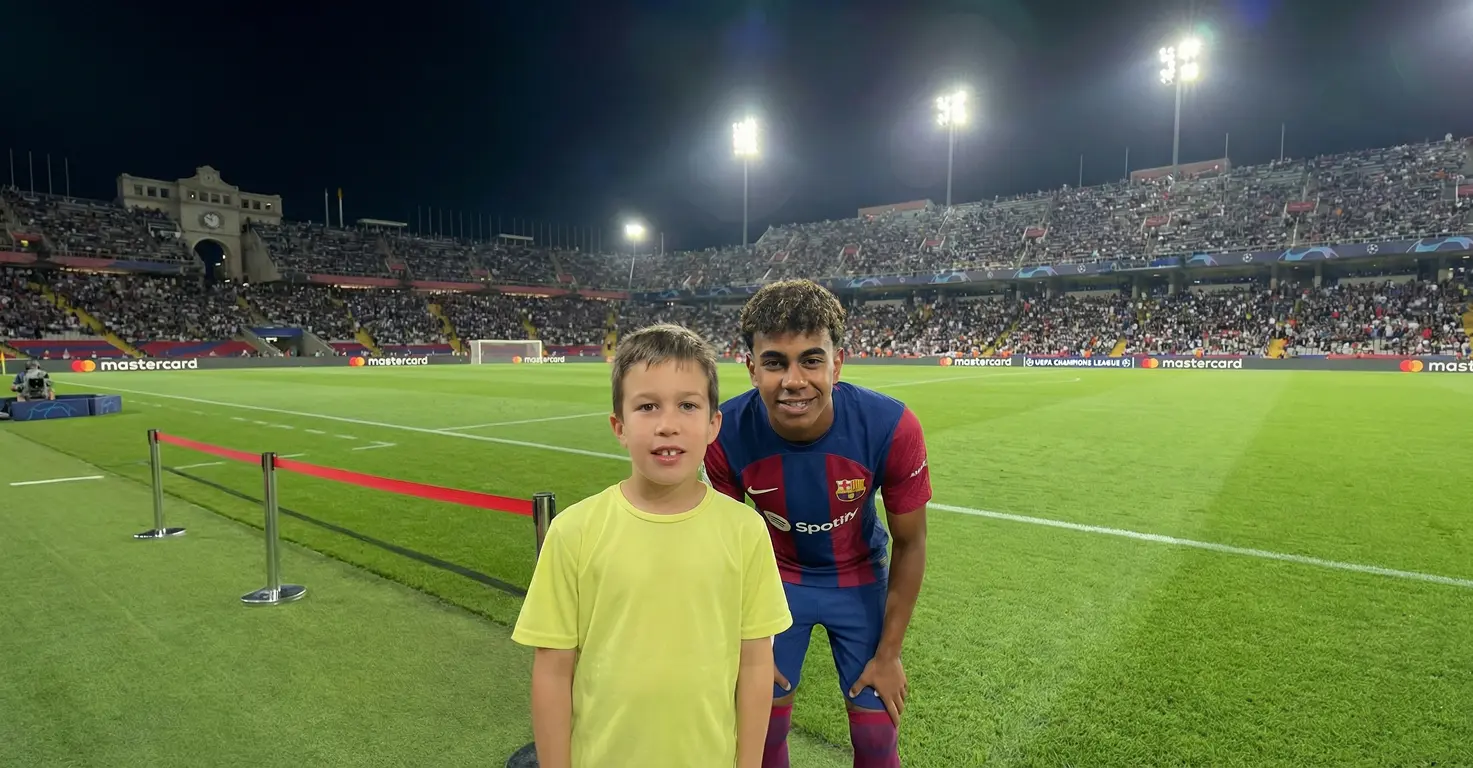
Mateo’s walls are covered in Mbappe, Messi and Ronaldo. When the AI celebrity selfie trend went round, he wanted in. We made the photos with Nano Banana and turned them into video with Kling 3.0. The behind-the-scenes clip got a brilliant reaction.
One important note: we talk openly about these being fake, and that honest conversation is half the lesson.
- Best for: 8+
- Time: About 30 minutes
- Link: the celebrity selfie walkthrough
4. Turn a toy car into a real supercar
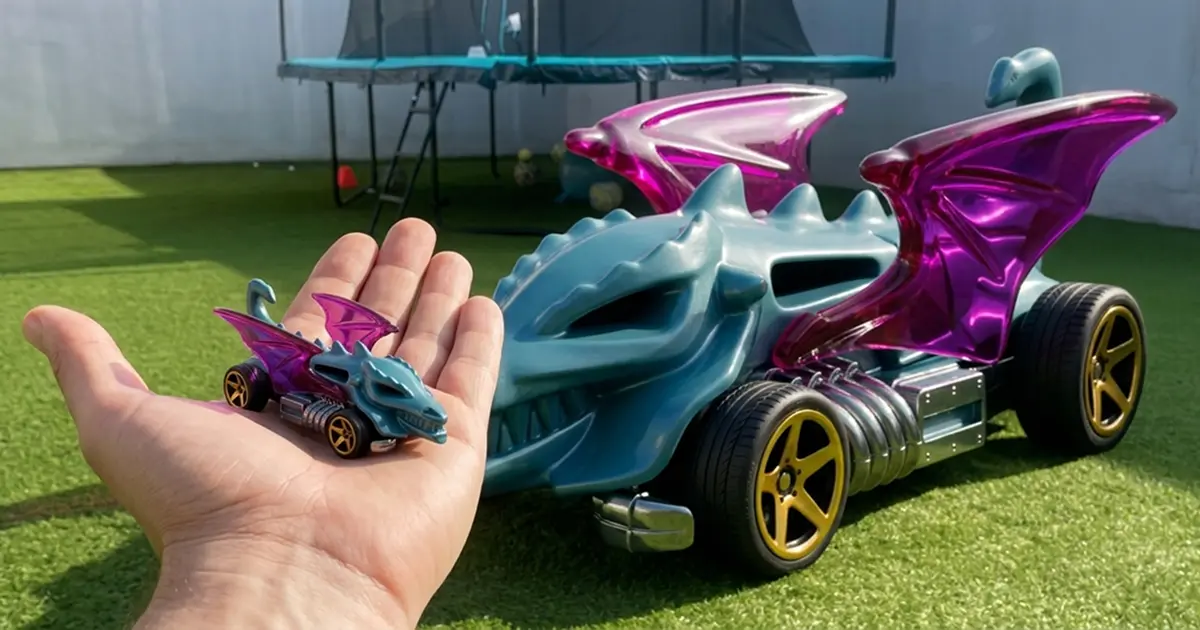
Conor (4) carries a teal Hot Wheels called the Dragon Blaster everywhere he goes. We filmed him dropping it on the grass, then used AI to grow it into a full-sized supercar sitting in the same spot. Twenty minutes, and one suitably amazed four-year-old.
- Best for: 3-7
- Time: About 20 minutes
- Link: the Hot Wheels transformation guide
5. Let them build their own apps
This is the one that surprised me most. Mateo (8) sat down with Claude and built three working things in a single session: a European flags quiz, a Tetris game, and a maths revision tool. One sentence each, all free, and he was changing the code himself within minutes.
💡 Parent Insight: He learned more about how software works in 20 minutes here than in any “kids coding” app we have tried, because he was building something he actually wanted.
- Best for: 8+
- Time: About 20 minutes
- Link: the Claude Artifacts guide (with the 3 prompts)
6. Turn a school topic into a podcast
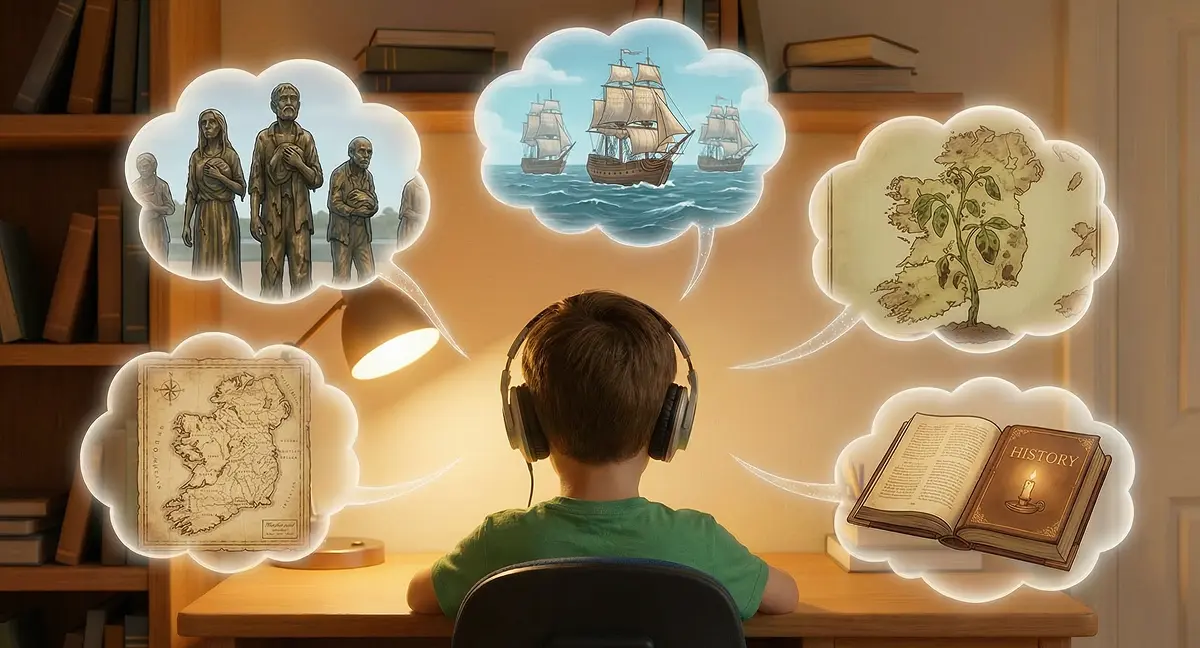
Mateo had questions about the Irish Famine that I could not fully answer. We fed his notes into NotebookLM and it made a 10-minute podcast pitched right at an 8-year-old. He listened to it twice, which has never once happened with a worksheet.
- Best for: 7+
- Time: About 15 minutes
- Link: the NotebookLM podcast walkthrough
7. Animate their favourite bedtime book
.webp)
My two youngest (4 and 6) have a favourite Julia Donaldson book they ask for every night. Maria started wondering what the main character was thinking, so I spent a weekend animating the story from that character’s point of view. It is more effort than the others, but the bedtime payoff is lovely.
- Best for: 3-7
- Time: A weekend project
- Link: how I animated the picture book
8. Bring old family photos back to life

This one is more for the grown-ups, but it stayed with all of us. I photographed my grandparents’ faded wedding pictures off my parents’ wall and restored them with Nano Banana. My mum got emotional. My dad was convinced the AI got a detail wrong. I never met either of my granddads, so seeing their faces clearly meant a lot.
🔒 Safety Note: We do all of these on a shared family device, with a grown-up in the room. We use real photos of our own kids, but never their full names, and we never let the AI stand in for a real conversation.
- Best for: All ages
- Time: About 10 minutes
- Link: the photo restoration guide
Which activity for which age?
A rough guide based on what actually held each of my kids. Younger ones can do all of these, just with more help from you.
| Activity | Best age | Time |
|---|---|---|
| Hot Wheels supercar | 3-7 | 20 min |
| Bedtime book animation | 3-7 | A weekend |
| Squirrel cartoon | 5-8 | 30 min |
| Daydream animation | 7+ | 15 min |
| School-topic podcast | 7+ | 15 min |
| Build your own apps | 8+ | 20 min |
The bottom line
You do not need fifty ideas, you need one good one for this afternoon. Start with the squirrel cartoon if you want a laugh, the build-your-own-apps one if your kid likes a challenge, or the photo restoration if you fancy something that will stay with you.
If you would like one parent-tested AI idea like these every Sunday, plus the honest “this one flopped” notes I do not always put on the blog, join the parents on my newsletter.
Not sure where to start? Take the free 2-minute assessment. You get a personalised set of AI tools and activities matched to your child’s age and what they are actually into. Take the assessment → |